
3.2.1Description
This popup window allows the user to create a new simulated device or gateway within the network. Most options within this menu are specific to the device that is desired to be simulated. In order to ensure an accurate simulation, it is important to configure this pop-up in a manner that reflects the physical network item.
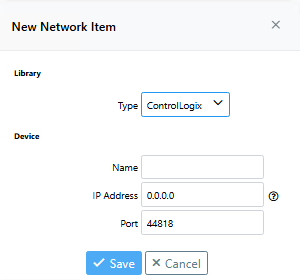
IP Address
Specify an IP address to connect to. Note that when specifying IP and Port, either the IP address or Port should be unique.
Port
Typically the default port (44818) is used, however, occasionally a different port will be used. This simply depends on the configuration of the physical device the user wants to simulate.