
2.2.1Description
Modbus Table Prefixes

In this section of the screen, the user can modify the prefix of each primary table (e.g., coil table, discrete input table, holding register table).
Example:
| Primary Table | Prefix | Example Register Address |
|---|---|---|
| Coil | 0 | 0x00001 |
| Discrete Input | 1 | 1x00001 |
| Analog Input | 3 | 3x00001 |
| Holding | 4 | 4x00001 |
The prefix values determine the first number of every register address. For example, if 0 is entered for coils, all coil register addresses will start with the number 0. The defaults for each primary table prefix are listed below:
Coil: 0
Discrete Input: 1
Analog Input: 3
Holding: 4
Modbus Blocks
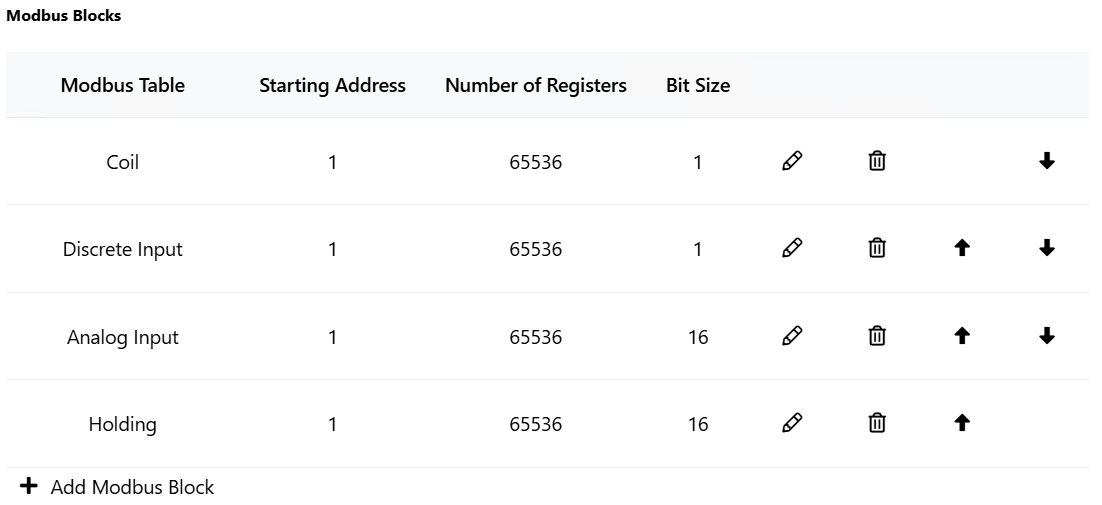
The Modbus Blocks section is where the user specifies the Modbus registers available. A Modbus block is a group of registers that is assigned to a primary table. Each Modbus block is given a starting address and a number of registers. Multiple blocks can be created within the same primary table to handle scenarios where real devices have gaps in addresses within a single primary table.
The various editable properties of a Modbus block are below:
Modbus table: Used to specify the primary table the Modbus block will belong to (e.g., coil table, discrete input table, holding register table).
Starting address: Used to specify the starting address for the Modbus block. Starts at 1 by default.
Number of registers: Used to specify the number of registers in the Modbus block. The default and maximum number of registers is 65536. Usually, real devices do not use the maximum number of registers.
Bit Size: Bit size displays the number of bits allocated for each register in the block. The bit size is fixed and based on the type of primary table. Blocks in the coil and discrete input tables will have a bit size of 1, and blocks in the analog input and holding table will have a bit size of 16. This is a Modbus standard and cannot be altered.
Order (up/down arrows): The order arrows will change the order in which a Modbus block’s physical addresses are determined. Changing a Modbus block’s order will not affect the address or prefix displayed within SimServe.