
1.3.2Import Project
To import a project that was previously exported, follow the steps below.
Please note, this results in all current network items being deleted, so it’s recommended to export the current project before creating a new one.
-
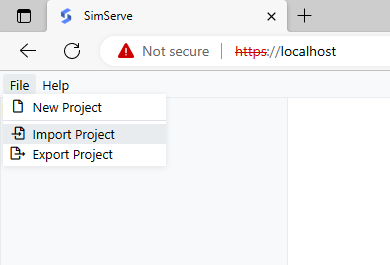
In the SimServe web interface, click on "File" in the main menu and then on "Import Project".
-
When asked if you’re sure you’d like to import a project, click "Yes".
-
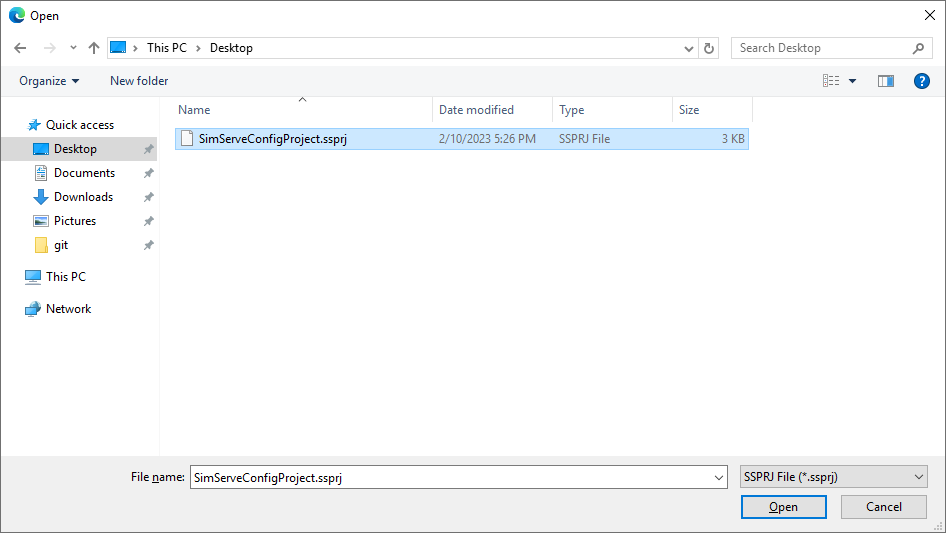
Browse to the project file, which will have a ".ssprj" extension, and then click open.
-
A project loading graphic will be displayed, and then the interface will re-appear with the imported project’s network items.